
“I’m number one on Google Maps when I search, but customers say they can’t find me.” If that sounds familiar, you’re not alone, and you’re not imagining it. Where you rank on Google Maps changes depending on where the searcher is standing, which means searching for yourself tells you very little.
This guide explains why your Maps ranking changes from street to street, how to check it properly, and which free and paid tools are available, with prices checked in October 2026.
The Short Answer
To check where your business ranks on Google Maps, use a geo-grid rank tracker. It checks your ranking for a search term from lots of points across your area and shows the results on a map, so you can see where you appear in the top three and where you don’t. Searching Google yourself gives a misleading result, because Google tailors what you see to your location, device and search history.
Why Searching for Yourself Gives the Wrong Answer
Google says search results can vary based on time, location, language, device, your search history and your signed-in account activity. When you search from your own office, on your own phone, you’re seeing results shaped by all of those things.
Location has the biggest effect on local results. Google says distance from the searcher is one of the three main factors in local ranking, along with relevance and prominence. A customer two miles away may see a completely different map pack from the one you see at your desk.
Your Maps ranking isn’t one number. It’s a different answer on every street in your area.
What Is Geo-Grid Rank Tracking?
A geo-grid rank tracker places a grid of points over a map of your area, for example a 5 by 5 grid covering your town. It then checks where your business ranks for your chosen search term from each point, as if a customer were searching from there. The results are shown as a map of coloured pins, usually green where you’re in the top three and red where you’re far down the list.
This shows you:
- how far your map pack visibility reaches from your premises;
- which neighbourhoods or nearby towns you’re missing out on;
- which competitors beat you, and where;
- whether your local SEO work is widening your reach over time.
Free Ways to Check
Your Google Business Profile Performance Report
Your profile’s Performance report is free and only available for verified profiles. It doesn’t show your ranking position, but it does show:
- the search terms people used to find your profile, updated monthly;
- how many people viewed your profile on Search and Maps;
- calls, direction requests, website clicks, messages and bookings.
The search terms are especially useful. They tell you which searches are already bringing people to you, which helps you choose what to track.
A Private Browser Window
Searching in a private window reduces the effect of your history and account, but it still uses your location. It’s a quick sense check, not a measurement.
Free Tiers and Trials
Several tools offer a free tier or trial. At the time of writing, Semrush’s Map Rank Tracker has a free tier with one keyword on a 5 by 5 grid, Local Falcon gives 100 free credits when you sign up, and BrightLocal offers a 14-day trial without a card.
Paid Geo-Grid Tools
These are the main tools, with prices taken from their websites in October 2026. Prices are in US dollars and change often, so check before you buy.
| Tool | Starting price | Notes |
|---|---|---|
| Local Falcon | $24.99 per month | Credit-based: one credit per map point, so a 5 by 5 grid uses 25 credits. |
| BrightLocal | $41 per month (Track plan) | Local Search Grid and rank tracking included in every plan. |
| Semrush Map Rank Tracker | Free tier, then $30 per month | Free tier limited to one keyword on a 5 by 5 grid. |
| Whitespark Local Rank Tracker | From $14 per month billed annually, or $17 monthly | Grid tracking may be priced separately. |
For most small businesses, a low-cost plan tracking a handful of your most important searches is plenty.
How to Set Up Useful Tracking
- Choose your searches. Start with the three to five searches that bring in the most valuable customers, such as “boiler repair Crawley” or “accountant Horsham”. Use your Performance report to see what people already search for.
- Choose your grid size. A 5 by 5 grid is enough for most small businesses. If you serve a wider area, widen the spacing between points rather than adding hundreds of points.
- Centre it sensibly. For a business with premises, centre the grid on your address. For a business that travels to customers, centre it on the area you most want to win work from.
- Check monthly. Rankings move up and down from day to day. Checking once a month shows the trend without the noise.
- Compare like with like. Keep the same searches, grid size and centre point each month so you can see what has changed.
What Your Results Are Telling You
- Strong near your premises, weak further out: this is normal, because distance is a ranking factor. To widen your reach, build prominence with reviews, links and an active profile.
- Weak even close to your premises: something more basic is wrong, such as the wrong category, an incomplete profile or a problem with verification. Our guide to why your business isn’t showing on Google Maps covers the checks.
- Strong for one search, weak for another: your profile and website may not make your other services clear. A page for each service and the right secondary categories can help.
- One competitor beats you everywhere: look at their reviews, categories and website. That tells you what you’re up against.
How to Check Whether You Appear in AI Answers
Maps rankings are only part of the picture now. More customers ask AI tools for recommendations, and you can check those too:
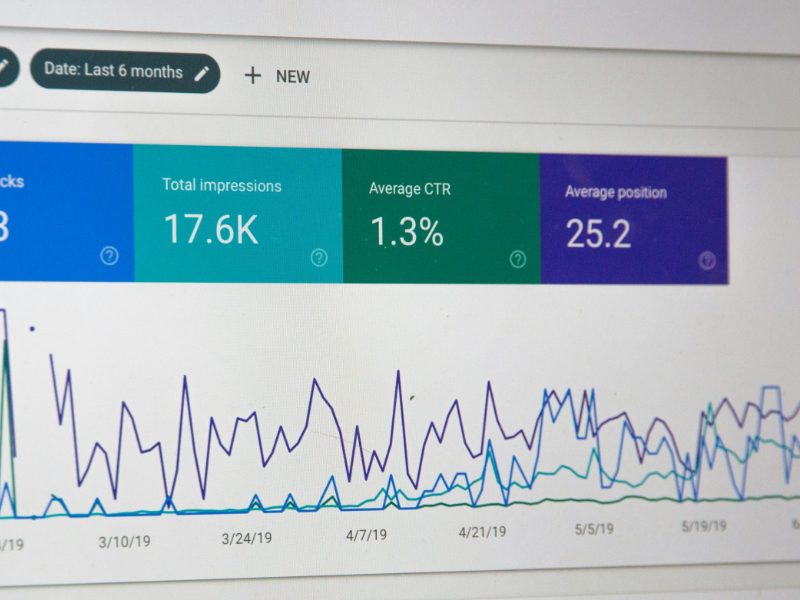
- Google Search Console: since 31 August 2026, Search Console has a Generative AI report under Performance. It shows how often your pages appear in AI Overviews and AI Mode, by page, country and date. It shows impressions but not clicks, and it only appears once your site has enough AI impressions.
- Bing Webmaster Tools: the AI Performance report, in public preview since February 2026, shows how often your pages are cited in Microsoft Copilot and Bing’s AI answers.
- Ask the AI tools yourself: each month, ask ChatGPT, Copilot, Perplexity and Google’s AI Mode the questions your customers would ask, such as “Who is a good electrician in Crawley?”, and note who is recommended.
Our guide to how to appear in AI search explains how to improve what you find.
Turning Results Into Action
Tracking only helps if you act on it. The usual next steps are to improve your Google Business Profile, build a steady flow of reviews, add service pages and local content to your website, and earn links from local websites. Our guide to how to rank higher on Google explains each one.
Want Us to Track It for You?
Checking and improving map pack visibility is part of our local SEO services for small businesses. We’ll show you where you appear today, where you’re missing out, and what we’ll do about it.
Sources
- Google Search Help: Why search results vary
- Google Business Profile Help: How to improve your local ranking
- Google Business Profile Help: Business Profile performance
- BrightLocal: Geo-grid ranking tool comparison
- Local Falcon: Pricing
- BrightLocal: Pricing
- Semrush: Map Rank Tracker
- Whitespark: Pricing
- Google Search Central: Search generative AI performance reports
- Bing Webmaster Blog: AI Performance in Bing Webmaster Tools