If you run a small business that relies on customers nearby, local SEO decides whether they find you or a competitor. Whether you run an architects’ practice, a trades business, a clinic or a shop, being visible in local search can be the difference between being busy and being invisible online.
This guide covers the best SEO tools for small business in 2026, including the best local SEO tools for getting found nearby. It explains which tools are free, which have free versions or trials and which are paid, and it shows how we use them ourselves. We checked every price and plan in October 2026.
Table of Contents
- What Makes a Good Local SEO Tool?
- Free Tools Every Small Business Should Start With
- Freemium Tools With Free Versions or Trials
- Paid Local SEO Tools
- How We Use These Tools
- How to Combine Tools Into a Local SEO Strategy
- Alternatives to Moz Local and BrightLocal
- Case Study: Sussex Solar Company
- Free vs Paid: Which Tools You Need
- Choosing the Right Package
- Final Thoughts
What Makes a Good Local SEO Tool?
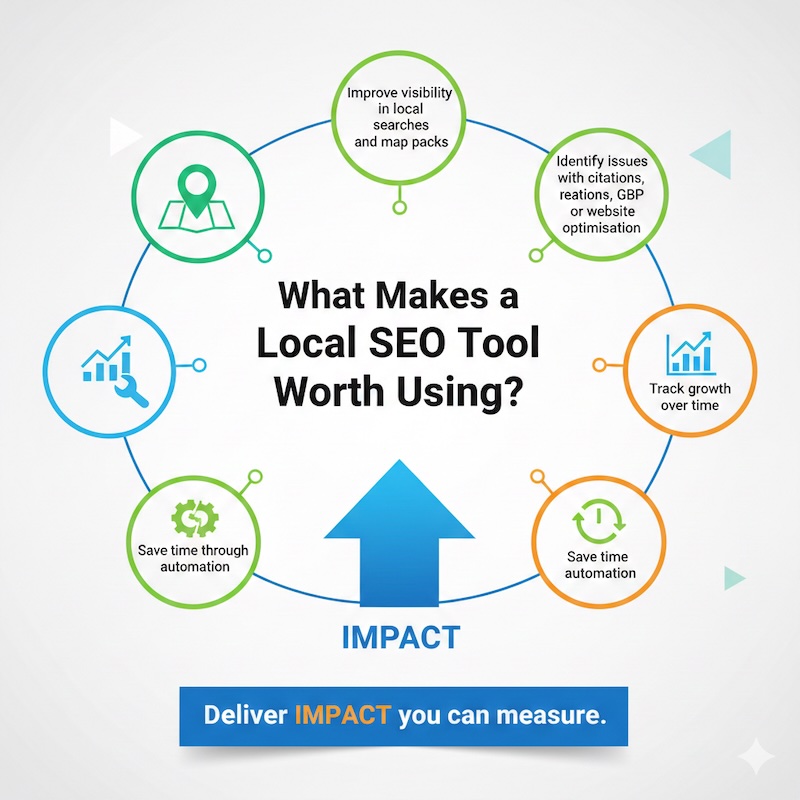
A good local SEO tool should help you:
- Improve visibility in local searches and the Google map pack
- Monitor how you rank for local searches across your area, not just from your own desk
- Find problems with citations, your Google Business Profile (GBP) or your website
- Save time through automation
- Track growth over time
Most importantly, a good tool should show you results you can measure, not just a dashboard full of graphs.
Tools only help if you have a plan. Our practical local SEO strategy guide explains how to get found nearby in Google and in AI search.
Free Tools Every Small Business Should Start With
These tools cover the basics without costing you a penny.
Google Business Profile (GBP): Free
Your Business Profile feeds Google Maps and the map pack, so it is the first thing to set up.
- Shows your business in Google Maps and the map pack
- Lets you collect and reply to reviews
- Shows how people found you and what they did next, such as calls and direction requests
Tip: Add new photos regularly and reply to every review. If your profile isn’t showing at all, read why your business may not be showing on Google Maps.
Google Search Console: Free
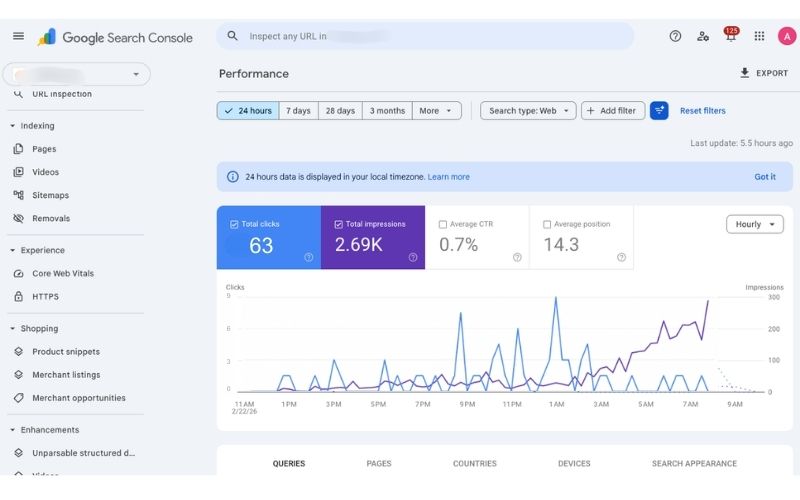
Search Console shows the searches people use when they find your website.
- Shows search terms, clicks and impressions
- Highlights indexing problems
- Tracks performance over time
Tip: Filter your queries by town names and “near me” to see which local searches you already appear for.
Google Keyword Planner: Free With a Google Ads Account
Keyword Planner is part of Google Ads. You need a Google Ads account to use it, but you don’t need to run ads.
- Shows search volumes for keywords
- Lets you filter by location
Tip: If you don’t spend on ads, Google shows volumes as broad ranges rather than exact figures. Use it to compare keywords rather than to forecast traffic.
Freemium Tools With Free Versions or Trials
These tools offer a free account or a free trial that is enough to get started. Paid plans unlock more data and features. Prices below are in US dollars, as the tools list them, and were checked in October 2026.
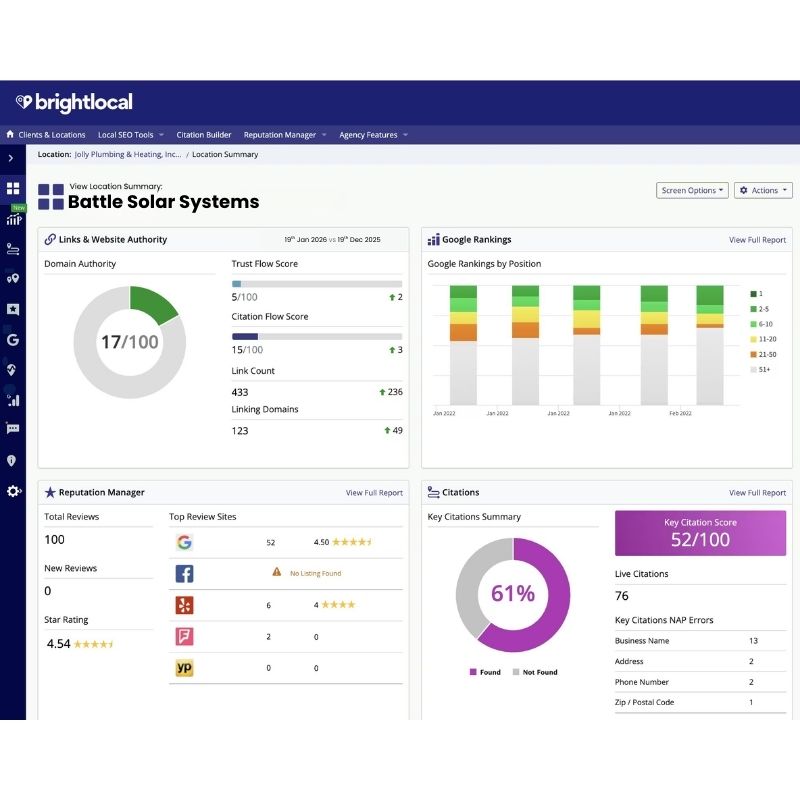
BrightLocal: Free Trial, Then Paid
BrightLocal is an all-in-one local SEO tool covering rank tracking, citations, GBP audits and reviews.
- Free trial: 14 days of full access, with no card needed
- Paid plans: Track, Manage and Grow, from $41 a month for one location on monthly billing, or $31 a month billed annually
- Entry plan includes: local rank tracking, a Local Search Grid that maps your rankings across an area, citation monitoring, a GBP audit and local AI visibility tracking
- Citation Builder: pay as you go, with no subscription needed
Tip: Review management is only on the higher Grow plan, so check which features you need before you pick a plan.
Ubersuggest: Free Account, Then Paid
Ubersuggest, from Neil Patel, provides keyword ideas, competitor data, site audits and rank tracking.
- Free: a limited free account, with no card needed
- Paid plans: from $29 a month, with more searches, projects and tracked keywords
- AI connector: Ubersuggest connects to AI assistants such as Claude, so you can ask for keyword, backlink and audit data in a conversation. The connection is read-only and works on any Ubersuggest plan.
Tip: Use it to find the questions people ask about your service in your area, then answer them on your website.
Semrush: Free Account, Then Paid
Semrush is a full SEO suite with a separate set of local tools.
- Free account: 10 reports a day and one demo project
- Paid plans: SEO plans from $139.95 a month, or Semrush One plans from $199 a month, which add AI search visibility
- Local tools: a separate Local toolkit, from $30 a month for the Base plan
Tip: Semrush has far more than a small business needs. Stick to keyword research and position tracking to start with.
Paid Local SEO Tools
Moz Local: Paid, per Location
Moz Local keeps your business details consistent across online directories and monitors your reviews.
- Plans: Lite, Preferred and Elite, from $20 a month per location, or less if you pay annually
- Includes: listings and review monitoring on Lite, with more directory management on Preferred and reputation management on Elite
Tip: Consistent name, address and phone details (NAP) across directories help Google trust your business.
Whitespark: Paid
Whitespark is a local SEO specialist with separate tools for rank tracking, citations and reviews.
- Local Rank Tracker: from $14 to $200 a month, tracking local and organic rankings
- Local Citation Finder: from $33 to $149 a month, finding and monitoring citation opportunities
- Reputation Builder: $79 a month per location, for review requests and monitoring
Tip: Your own Google searches won’t show you where you rank across your whole area. Our guide on how to check where your business ranks on Google Maps explains why, and which free and paid rank trackers to use.
How We Use These Tools
We don’t use every tool on this list for every client. This is what we reach for and why.
- Ubersuggest is our everyday tool, because it connects to AI. We use it with Claude to pull keyword and ranking data and to automate content research.
- Semrush is the tool we turn to when we need more accurate keyword research.
- Moz Local is how we check local details such as citations, so we can see where a client’s business name, address or phone number is missing or wrong across directories.
Alongside these, we use Google Business Profile and Search Console for every client, because they are free and come straight from Google.
How to Combine Tools Into a Local SEO Strategy
- Start with the basics: GBP and Search Console, which are free
- Research local keywords: Google Keyword Planner, Ubersuggest or Semrush
- Audit your listings: Moz Local or BrightLocal
- Track your map rankings: BrightLocal or Whitespark
- Monitor reviews: your Google Business Profile, or BrightLocal, Moz Local or Whitespark if you want alerts and review requests
Alternatives to Moz Local and BrightLocal
Moz Local and BrightLocal are the best-known local SEO tools, but they aren’t the only options. Which alternative suits you depends on the job you need doing.
- To track where you rank on Google Maps: Whitespark Local Rank Tracker, or the Semrush Local toolkit if you already use Semrush.
- To find and fix citations: Whitespark Local Citation Finder, or BrightLocal’s pay-as-you-go Citation Builder if you don’t want a subscription.
- To manage reviews: your Google Business Profile is free. Whitespark Reputation Builder and BrightLocal’s Grow plan add review requests and alerts.
Case Study: Sussex Solar Company
Challenge: A solar company in Sussex had excellent installations but almost no online visibility. Potential customers couldn’t find them in local search, and competitors dominated the map pack. They needed a strategy to optimise their website and online presence for AI Overviews and local SEO in Sussex.
Tools used: Google Business Profile (free), BrightLocal (paid), Google Keyword Planner (free), Ubersuggest (free account) and Moz Local (paid).
What we did:
- Claimed and fully optimised their Google Business Profile with services, photos, offers and posts
- Audited their local presence with BrightLocal and found 35 citation inconsistencies
- Updated their business details through Moz Local and removed duplicate listings
- Targeted local keywords such as “solar panel installation Sussex” and “renewable energy consultant near me”
- Sent weekly review requests and replied promptly to all feedback
Results in five months:
- Map pack appearances increased by 58%
- Website traffic from local searches grew by 42%
- Google Business Profile actions, such as calls and direction requests, increased by 50%
- Their average review rating rose from 4.0 to 4.6 stars
Free vs Paid: Which Tools You Need
| Tool | Free Option | Paid From (per month) | Best Use |
|---|---|---|---|
| Google Business Profile | Free | No paid version | Google Maps and map pack visibility |
| Google Search Console | Free | No paid version | Search terms and website performance |
| Google Keyword Planner | Free with a Google Ads account | No paid version | Local keyword research |
| Ubersuggest | Limited free account | $29 | Keyword ideas, audits and AI automation |
| Semrush | 10 reports a day | $139.95, or $30 for the Local toolkit | Accurate keyword research |
| BrightLocal | 14-day trial | $41, or $31 billed annually | Map rankings, audits and citations |
| Moz Local | No | $20 per location | Citations and listing management |
| Whitespark | No | $14 for rank tracking | Local rank tracking and citations |
Choosing the Right Package
- Just starting: stick with the free tools: GBP, Search Console and Keyword Planner.
- Some budget: add Ubersuggest for keywords and a BrightLocal or Moz Local plan for your listings.
- More than one location: remember that BrightLocal and Moz Local charge per location, so costs rise with each branch.
Final Thoughts
The best local SEO tools for small business are the ones you use consistently. Free tools lay the foundation. Freemium tools show you the opportunities. Paid tools automate audits, track growth and save you time.
Measure what changes, keep improving, and local customers will find your business before they find competitors who ignore local SEO.
Expert Local SEO Help
At Mouthy Marketing, we help small businesses improve their online visibility. From optimising Google Business Profiles to auditing citations and tracking local rankings, we use these tools every week, so you don’t have to learn them all yourself. If you’re based in Sussex, find out more about our SEO and local SEO services in Sussex. For businesses anywhere in the UK, see our small business SEO services.
If you want your business to be found by local customers before your competitors, get in touch with us today.
Phone: 01342 457728
Email: hello@mouthymarketing.co.uk

About the Author
Alice Watkyn has owned and run Mouthy Marketing, a marketing and SEO agency based in East Grinstead, since 2020. She believes in marketing done the right way. She has run campaigns for big and small brands, as well as national and international charities, but her passion is small business, and that is what she writes about.
She runs small business clinics, where she helps business owners with all kinds of marketing problems, from SEO to pricing. Many of her clients stay with her for years.